Search Jira work items by values inside a table
Guide · Jira Cloud · Updated 12 November 2026
A table on a work item is useful until someone asks a question across many work items. Which requests have a budget line over 1,000 that is not approved yet? Which work orders need a part by the end of the month? If the table sits in the description, JQL cannot answer that. It sees the description as one block of text.
This guide shows how it works with a table field that exposes its columns to JQL. The examples use Rowmill Table Grid.
How the columns become searchable
When an admin adds a column to a Rowmill Table field, the column gets a fixed alias such as num1, date1 or check1. The config screen shows each alias next to the column name. In JQL you quote the field name and the alias together:
"Budget.num1" > 1000 AND "Budget.check1" = "false"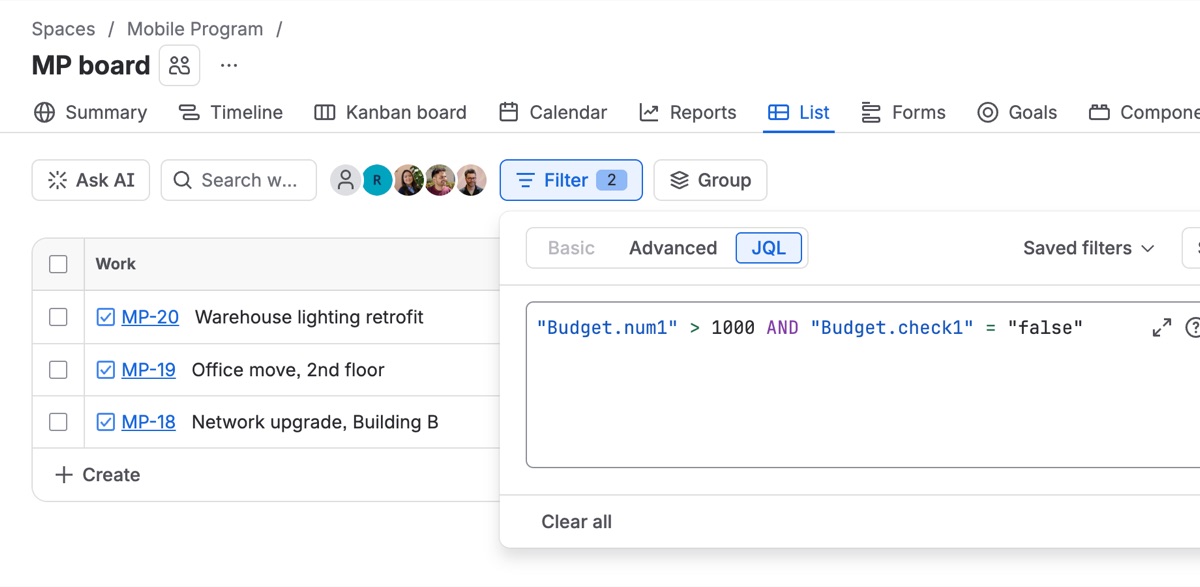
Aliases do not change when you rename or reorder columns, so saved filters keep working.
Examples
| Question | JQL |
|---|---|
| Any part with quantity over 100 | "Parts.num1" > 100 |
| A row mentioning "bolt" | "Parts.text1" ~ bolt |
| Something needed before March | "Parts.date1" < 2027-03-01 |
| An unticked approval box | "Budget.check1" = "false" |
| Combined with normal fields | project = OPS AND status != Done AND "Parts.num1" > 100 |
Quote true and false. Dates use YYYY-MM-DD.
Dashboards and saved filters
Save the query as a filter and use it where Jira takes a saved filter, such as dashboard gadgets and filter subscriptions. We have not tested Jira Automation with the table field yet, so don't build rules on it until we say it's supported.
In list views and CSV export the field shows a one-line summary of the rows, for example Item: Bolt, Qty: 120 | Item: Nut, Qty: 40. That makes exports readable without opening each work item.
Limits worth knowing
- Matches are per work item, not per row.
"Parts.text1" ~ bolt AND "Parts.num1" > 20finds work items that have a bolt row and a row over 20. They may be different rows. Jira's search has no way to tie conditions to one row. - Empty number cells count as 0. So
"Parts.num1" < 5also matches empty cells. Add a second condition if that matters. - No sums in JQL. JQL filters; it does not total. For a total across work items, export to CSV or use a reporting app.
Related: How to add a table to a Jira work item · Rowmill Table Grid docs